Your iPhone 14 Pro is a masterpiece of design and technology, but its stunning Super Retina XDR display is also its most vulnerable component. A screen protector isn’t just an accessory; it’s an essential shield, offering peace of mind against the daily onslaught of scratches, drops, and smudges. With the right iPhone 14 Pro screen protector, you can keep your device looking pristine and extend its lifespan. But with so many options out there, how do you choose the perfect one? Let’s dive deep into the world of screen protection, from materials and technology to installation and maintenance, ensuring your iPhone 14 Pro remains as flawless as the day you got it.
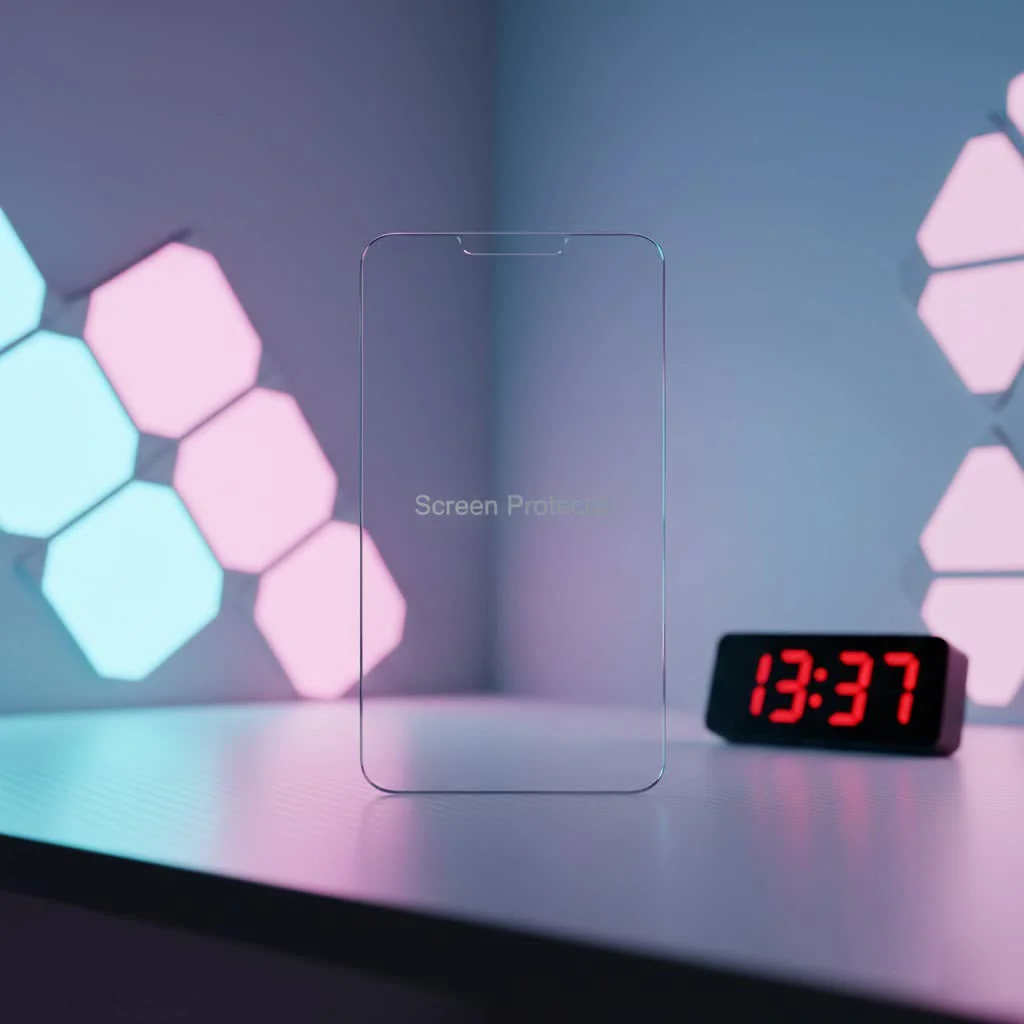
Understanding Screen Protector Types for Your iPhone 14 Pro
Before you can pick the best guardian for your iPhone 14 Pro screen, it’s crucial to understand the different materials and technologies at play. Each type offers a unique blend of protection, feel, and features. For more screen protectors guides on this site.
Tempered Glass: The Unsung Hero of Screen Protection
When it comes to robust protection, tempered glass consistently stands out as the most popular choice for an iPhone 14 Pro screen protector. This material is essentially a specially processed glass that’s been heated and rapidly cooled to increase its strength.
What makes tempered glass shine?
Tempered glass protectors excel in scratch resistance, often boasting a 9H hardness rating, which means they can withstand scratches from items as tough as a knife blade. They offer excellent clarity, ensuring your iPhone 14 Pro’s vibrant display remains unaffected. Moreover, they provide superior impact protection, absorbing the force of drops and often shattering themselves into blunt, manageable pieces instead of allowing your actual phone screen to break. Many high-quality tempered glass options also feature an oleophobic coating, a fancy term for a layer that repels oils and fingerprints, keeping your screen clear and smooth to the touch.
However, even heroes have weaknesses. While tempered glass protectors are great at preventing your phone screen from cracking, the protector itself will typically shatter upon a significant impact, requiring replacement. They can also be slightly thicker than plastic alternatives, though modern designs have minimized this.
TPU (Thermoplastic Polyurethane): The Flexible Fighter
TPU screen protectors are a flexible, plastic-based alternative that offers a different kind of defense. Made from a durable, elastic polymer, TPU has a unique “self-healing” property, meaning minor scratches and abrasions can gradually disappear over time.
Why choose TPU?
TPU’s main strength lies in its flexibility and exceptional impact absorption. It can conform to slightly curved edges (though the iPhone 14 Pro has a flat screen) and is less prone to shattering than glass. If you’re someone who experiences frequent small drops or scratches from keys in your pocket, TPU’s resilience and self-healing might appeal to you. They are also generally more affordable than their tempered glass counterparts.
On the flip side, TPU protectors can sometimes have a slightly rubbery feel compared to glass, which might alter the touch experience of your iPhone 14 Pro. Installation can also be more challenging, often involving a wet application method that requires careful squeegeeing to remove bubbles and achieve a smooth finish. While they offer good impact protection, their scratch resistance typically falls short of tempered glass.
PET (Polyethylene Terephthalate): The Lightweight Contender
|
Our Picks for the Best Screen Protector in 2026
As an Amazon Associate I earn from qualifying purchases.
|
||
| Num | Product | Action |
|---|---|---|
| 1 | ZAGG Glass+ Screen Protector for iPhone 16e/ 14/13/ 13 Pro - 3X Shatter Protection, High Scratch Resistance, Oil-Resistant, Reinforced Edges, InvisibleShield, Easy Install |

|
| 2 | ZAGG Glass+ Screen Protector for iPhone 15-3X Stronger with Reinforced Edges, Scratch & Smudge-Resistant Surface, InvisibleShield, Easy to Install |
|
| 3 | ESR Accessory Glass by Corning™ 3 Pack 9H+ Glass for iPhone 17 Pro Max Screen Protector, with AR Anti-Reflective Technology, Military Grade Shatterproof & Durable with UltraFit Tray |
|
| 4 | ESR 3 Pack for iPhone 17 Pro Max Privacy Screen Protector, Military Grade Shatterproof, 9H Hardness, Anti-spy Tempered Glass with UltraFit Tray |
|
| 5 | ESR 3 Pack for iPhone 16 Pro Screen Protector, [9H Hardness] [Military Grade Shatterproof] Tempered Glass Film with Flawless Fit Tray, HD Clear, Scratch Resistant |
|
| 6 | ESR 3 Pack 9H+ Glass for iPhone 16 Pro Max Privacy Screen Protector, [Military Grade Shatterproof & Longest Durable] Armorite Anti-spy Tempered Glass with UltraFit Tray |
|
| 7 | ESR 3 Pack for iPhone 16 / iPhone 15 Screen Protector, [9H Hardness] [Military Grade Shatterproof] Full Coverage Tempered Glass Film with Easy Installation Tool, HD Clear, Scratch Resistant |
|
| 8 | ESR 3 Pack 9H+ Glass for iPhone 16 Pro Max Screen Protector, [Military Grade Shatterproof & Longest Durable] Armorite Ultra-Tough Tempered Glass with UltraFit Tray |
|
| 9 | ESR 3 Pack for iPhone 16 / iPhone 15 Privacy Screen Protector, Anti-spy Tempered-Glass Privacy Screen Protector with Easy Installation Tool, Micro-Curved Edges, Case Friendly |
|
| 10 | ZAGG Glass+ Screen Protector for Phone 15 Pro - 3X Stronger with Reinforced Edges, Scratch & Smudge-Resistant Surface, InvisibleShield, Easy to Install |
|
PET screen protectors are the most basic and usually the most affordable option. These are thin, plastic films that offer a fundamental layer of defense.
When might PET be suitable?
PET protectors are thin and barely noticeable once applied. They offer basic scratch protection against minor abrasions. They are also easy to install due to their thinness and flexibility.
However, PET falls short in significant impact protection and offers minimal defense against drops. Its scratch resistance is also limited compared to both tempered glass and TPU. If you’re looking for heavy-duty protection for your iPhone 14 Pro, PET might not be the ideal choice.
Choosing the Right iPhone 14 Pro Screen Protector for You
Selecting the perfect iPhone 14 Pro screen protector is a personal decision, depending on your lifestyle, habits, and priorities.
Consider Your Lifestyle and Usage
Are you prone to dropping your phone, or do you tend to get more hairline scratches from everyday use? If high-impact drops are a concern, a quality tempered glass protector is often your best bet for sacrificing itself to save your actual screen. If minor scratches from keys or coins are more common, the self-healing properties of a TPU film could be beneficial. For general, light protection without much fuss, PET could work, but be mindful of its limitations.
Balance Budget with Protection Needs
While you don’t need to break the bank, investing in a reputable iPhone 14 Pro screen protector is always wise. Cheaper options may save you money upfront but could compromise on protection and durability, leading to more costly repairs down the line. Look for a balance between price and proven performance, considering brands known for their quality.
Desired Features: More Than Just Protection
Modern screen protectors offer features beyond basic defense. Do you need a privacy screen that darkens your display from side angles, protecting your sensitive information from prying eyes? Or perhaps an anti-glare finish for better visibility outdoors? Some protectors even integrate blue light filters to reduce eye strain. Think about what extra functionalities would enhance your iPhone 14 Pro experience. As veteran screen protection expert, Dr. Evelyn Reed, often says, “The best screen protector isn’t just about preventing cracks; it’s about seamlessly integrating with your digital life and enhancing your device’s utility.”
Ensure Case Compatibility
The iPhone 14 Pro is often protected by a case, so it’s essential that your screen protector plays nicely with it. Look for “case-friendly” designs that leave a tiny gap around the edges of your screen, preventing the case from pushing up and peeling off the screen protector. Many reputable brands offer screen protectors specifically designed to be compatible with their own cases or a wide range of third-party cases.
Step-by-Step Guide: Flawless iPhone 14 Pro Screen Protector Installation
Applying an iPhone 14 Pro screen protector can seem daunting, but with a bit of patience and the right technique, you can achieve a perfect, bubble-free finish.
1. Preparation is Key
First, find a clean, dust-free environment. Many experts suggest installing your screen protector in a steamy bathroom after a hot shower, as the steam helps settle airborne dust particles. Turn off any fans or air conditioning. Gather your tools: the screen protector, a wet alcohol wipe, a dry microfiber cloth, a dust-absorber sticker, and a squeegee (most kits include these). Power off your iPhone 14 Pro.
2. Clean Your iPhone Screen Thoroughly
This is arguably the most critical step. Use the wet alcohol wipe to meticulously clean the entire surface of your iPhone 14 Pro screen. Pay close attention to corners and edges where dirt and grime can accumulate. Once clean, use the dry microfiber cloth to wipe away any moisture or streaks, ensuring the screen is completely dry and lint-free.
3. Eliminate Every Speck of Dust
Even the tiniest dust particle can cause a frustrating bubble. Take the dust-absorber sticker and gently dab it across the entire screen, lifting any remaining dust. Repeat this process until your screen is absolutely immaculate. Work quickly but carefully to minimize new dust settling.
4. Precision Alignment
Carefully peel off the protective film from the adhesive side of your iPhone 14 Pro screen protector. Hold it by the edges to avoid touching the adhesive. Many high-quality screen protectors come with an installation frame, which clips onto your phone and guides the protector into perfect alignment. If you have one, use it! If not, align the protector precisely with the speaker cutout, camera, and edges of your screen. Take your time to get it right.
5. Applying the Protector
Once perfectly aligned, gently lower the screen protector onto your iPhone 14 Pro’s screen. If using an installation frame, it will usually guide the protector into place. As the protector makes contact, you’ll often see the adhesive spread across the screen.
6. Banish Those Bubbles
After the protector is down, gently press down on the center and use the squeegee (or your finger wrapped in the microfiber cloth) to push out any air bubbles towards the edges of the screen. Work from the center outwards. Small bubbles will usually disappear within 24-48 hours.
Common Screen Protector Installation Mistakes and How to Fix Them
Don’t fret if your first attempt isn’t perfect. We’ve all been there!
Dust Trapped Underneath
This is the most common culprit for persistent bubbles. If you see a dust particle causing a bubble, gently lift the nearest edge of the screen protector using a piece of tape or your fingernail. Use another piece of tape to carefully dab and lift the dust particle from either the screen or the underside of the protector. Then, slowly re-lower the protector, pushing out any air.
Persistent Air Bubbles
For bubbles without dust, try reapplying pressure with the squeegee, pushing them towards the nearest edge. If a large bubble remains stubborn, you might need to gently lift a section of the protector to release the trapped air, then slowly re-lay it down, smoothing it out as you go.
Misalignment
If your iPhone 14 Pro screen protector is severely crooked, it’s often best to remove it carefully and start over, especially if you have spares in your kit. While you can sometimes gently lift and readjust it if the adhesive hasn’t fully set, repeated attempts can stretch or damage the protector and introduce dust.
Keeping Your iPhone 14 Pro Screen Protector Pristine: Maintenance Tips
Your screen protector works hard, so a little care goes a long way in prolonging its life and maintaining your iPhone 14 Pro’s visual clarity.
Regular Cleaning
Just like your phone screen, your screen protector can accumulate smudges and fingerprints. Use a soft, lint-free microfiber cloth to wipe it down regularly. For stubborn grime, a slightly damp cloth (with water, not harsh cleaners) can work wonders.
Avoid Harsh Chemicals
Never use abrasive cleaners, window cleaner, or strong chemical solvents on your screen protector. These can strip away oleophobic coatings, damage the material, or leave unsightly residues. Stick to water or specialized screen cleaning solutions.
Knowing When to Replace
A screen protector’s primary job is to take the damage so your actual screen doesn’t have to. If your iPhone 14 Pro screen protector is heavily scratched, cracked, or shows signs of peeling, it’s time for a replacement. A compromised protector offers diminished protection and can even interfere with touch sensitivity or visual clarity. Replacing it promptly is a small investment that protects a much larger one.
Frequently Asked Questions
Q: Is an iPhone 14 Pro screen protector truly necessary?
A: While the iPhone 14 Pro features Apple’s Ceramic Shield, which is quite durable, it is still susceptible to scratches and can crack from significant drops. An iPhone 14 Pro screen protector adds an essential extra layer of defense, absorbing impacts and scratches to keep your original screen in perfect condition.
Q: Does a screen protector affect the iPhone 14 Pro’s touch sensitivity or Face ID?
A: High-quality screen protectors are designed to be thin enough not to interfere with touch sensitivity or Face ID functionality. Ensure you’re purchasing from a reputable brand to avoid these issues.
Q: What does “9H hardness” mean for tempered glass?
A: The “9H hardness” rating refers to the Mohs scale of mineral hardness. A 9H rating indicates that the tempered glass can resist scratches from materials with a hardness level of 9, such as quartz, making it highly scratch-resistant against everyday items like keys and coins.
Q: How often should I replace my iPhone 14 Pro screen protector?
A: You should replace your screen protector when it becomes heavily scratched, cracked, or starts to peel. Its ability to protect your screen diminishes once it’s compromised. Think of it as a helmet—once it takes a significant hit, it’s best to replace it.
Q: Can I install a screen protector myself, or should I get it professionally done?
A: With patience and careful adherence to the instructions, most people can successfully install an iPhone 14 Pro screen protector themselves. Many kits even include alignment frames to simplify the process. However, if you’re uncomfortable, some retailers offer professional installation services.
Elevate Your iPhone 14 Pro’s Defense
Your iPhone 14 Pro is a significant investment, and protecting its brilliant display is paramount. From the robust shield of tempered glass to the flexible resilience of TPU, choosing the right iPhone 14 Pro screen protector is about understanding your needs and prioritizing intelligent defense. By following proper installation techniques and maintaining your protector, you ensure your device stays pristine, functional, and ready for whatever life throws at it. Don’t leave your iPhone 14 Pro’s screen to chance – empower it with the ultimate protection and enjoy true peace of mind.
Get our weekly buyer guide
Practical specs, not advice. Unsubscribe anytime.
