Welcome, fellow Tesla enthusiasts and screen protection aficionados! As someone with over a decade in the trenches of screen protector innovation and a content creator for PPICM.com, I’ve seen countless screens saved and countless frustrations averted. Your Tesla’s magnificent central display isn’t just a screen; it’s the nerve center of your driving experience, a hub for navigation, entertainment, and vehicle controls. Protecting this crucial component isn’t just a luxury; it’s a smart investment in your vehicle’s longevity and your daily driving pleasure.
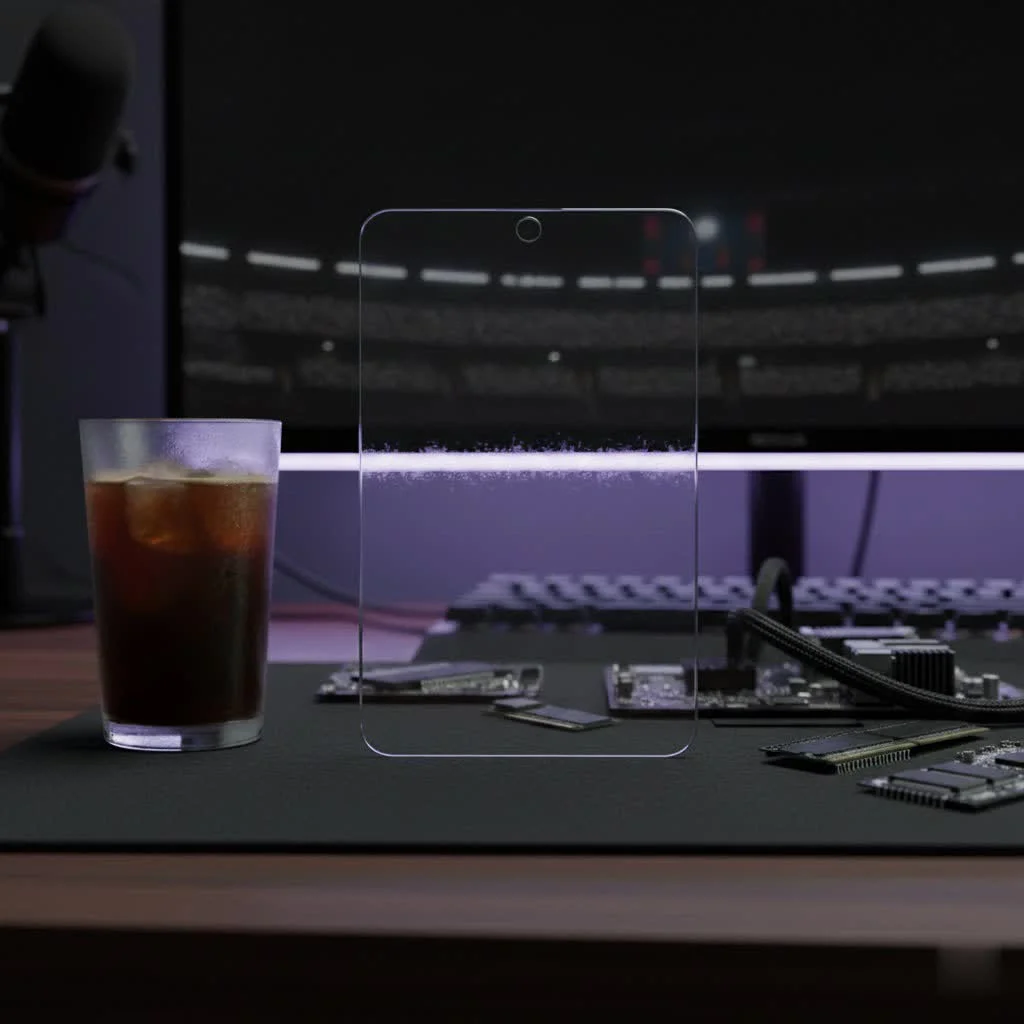
We all love the sleek, minimalist design of a Tesla interior, but that expansive, gleaming touchscreen is a magnet for fingerprints, prone to glare under the sun, and, let’s face it, vulnerable to life’s little accidents. From a stray coffee cup to an accidental bump, your Tesla’s screen faces daily threats that can lead to costly repairs. That’s where a high-quality Tesla screen protector steps in, offering a robust defense that maintains your screen’s pristine condition and functionality.
In this comprehensive guide, we’ll dive deep into everything you need to know about Tesla screen protectors. We’ll explore the various types, discuss how to choose the perfect one for your specific needs, walk you through a flawless installation process, and even share some expert tips on maintenance. Our goal at PPICM is to empower you with the knowledge to make informed decisions, ensuring your Tesla’s digital heart remains as brilliant as the day you drove it off the lot.
Why Your Tesla Needs a Screen Protector
Think of your Tesla’s touchscreen as the window to its soul – and a significant part of its value. Leaving it exposed is like driving without insurance; you might get lucky, but the risks are substantial.
Protecting Your Investment
A Tesla’s screen is not just a delicate piece of glass; it’s an intricate, high-tech interface. Repairs or replacements can easily run into the thousands. A robust Tesla screen protector acts as a sacrificial layer, absorbing impacts, resisting scratches, and warding off everyday wear and tear. It’s the ultimate guardian against unforeseen mishaps, from accidental key scratches to the inevitable bumps that come with daily use. This simple addition can save you from a hefty repair bill down the line, preserving both the aesthetic appeal and the resale value of your vehicle.
Combating Glare and Reflections
Driving a Tesla, especially on a bright, sunny day, can sometimes feel like navigating a hall of mirrors. The factory glossy screen, while beautiful, is a master reflector, turning sunlight, streetlights, and even your own reflection into distracting glare. This isn’t just annoying; it can be a significant safety concern, forcing you to squint or divert your attention from the road. An anti-glare Tesla screen protector, particularly one with a matte finish, works wonders by scattering light rather than reflecting it directly into your eyes. This dramatically improves visibility, making your navigation clearer and your driving experience safer and more comfortable.
Banishing Fingerprint Smudges
|
Our Picks for the Best Screen Protector in 2026
As an Amazon Associate I earn from qualifying purchases.
|
||
| Num | Product | Action |
|---|---|---|
| 1 | ESR 3 Pack 9H+ Glass for iPhone 16 Pro Max Screen Protector, [Military Grade Shatterproof & Longest Durable] Armorite Ultra-Tough Tempered Glass with UltraFit Tray |
![Check ESR 3 Pack 9H+ Glass for iPhone 16 Pro Max Screen Protector, [Military Grade Shatterproof & Longest Durable] Armorite Ultra-Tough Tempered Glass with UltraFit Tray on Amazon](https://ppicm.com/wp-content/plugins/amazon-tables/assets/images/buy.png)
|
| 2 | ESR 3 Pack 9H+ Glass for iPhone 16 Pro Max Privacy Screen Protector, [Military Grade Shatterproof & Longest Durable] Armorite Anti-spy Tempered Glass with UltraFit Tray |
|
| 3 | ESR 3 Pack for iPhone 16 Pro Screen Protector, [9H Hardness] [Military Grade Shatterproof] Tempered Glass Film with Flawless Fit Tray, HD Clear, Scratch Resistant |
|
| 4 | ZAGG Glass+ Screen Protector for iPhone 15-3X Stronger with Reinforced Edges, Scratch & Smudge-Resistant Surface, InvisibleShield, Easy to Install |
|
| 5 | ESR 3 Pack for iPhone 16 / iPhone 15 Privacy Screen Protector, Anti-spy Tempered-Glass Privacy Screen Protector with Easy Installation Tool, Micro-Curved Edges, Case Friendly |
|
| 6 | ESR 3 Pack for iPhone 17 Pro Max Privacy Screen Protector, Military Grade Shatterproof, 9H Hardness, Anti-spy Tempered Glass with UltraFit Tray |
|
| 7 | ESR 3 Pack for iPhone 16 / iPhone 15 Screen Protector, [9H Hardness] [Military Grade Shatterproof] Full Coverage Tempered Glass Film with Easy Installation Tool, HD Clear, Scratch Resistant |
|
| 8 | ZAGG Glass+ Screen Protector for Phone 15 Pro - 3X Stronger with Reinforced Edges, Scratch & Smudge-Resistant Surface, InvisibleShield, Easy to Install |
|
| 9 | ESR Accessory Glass by Corning™ 3 Pack 9H+ Glass for iPhone 17 Pro Max Screen Protector, with AR Anti-Reflective Technology, Military Grade Shatterproof & Durable with UltraFit Tray |
|
| 10 | ZAGG Glass+ Screen Protector for iPhone 16e/ 14/13/ 13 Pro - 3X Shatter Protection, High Scratch Resistance, Oil-Resistant, Reinforced Edges, InvisibleShield, Easy Install |
|
It’s an undeniable truth: every touch leaves a mark. Your Tesla’s large touchscreen, frequently interacted with for climate control, music, and navigation, quickly becomes a canvas of greasy fingerprints and smudges. This not only detracts from the screen’s clarity but also gives your pristine Tesla interior a less-than-premium look. A quality Tesla screen protector, especially those with oleophobic (oil-repelling) coatings or a matte finish, significantly reduces the appearance of fingerprints. You’ll find yourself wiping the screen far less often, enjoying a consistently cleaner and clearer display.
Unpacking the Options: Types of Tesla Screen Protectors
When it comes to safeguarding your Tesla’s digital dashboard, you have two primary material choices, each with its unique characteristics. Understanding these will help you choose the best Tesla screen protector for your driving habits and aesthetic preferences.
Tempered Glass: The Robust Shield
Tempered glass screen protectors are often considered the gold standard for screen defense. They’re crafted from heat-treated glass, making them significantly stronger than regular glass. When it comes to your Tesla, they offer a premium feel and formidable protection.
- Pros:
- Superior Durability: Tempered glass is highly resistant to scratches from keys, coins, and other hard objects.
- Impact Absorption: In the event of a significant impact, the tempered glass is designed to shatter into small, blunt pieces, absorbing the shock and protecting your Tesla’s more expensive original screen underneath. It’s like a crumple zone for your display.
- Original Feel: It provides a smooth, glass-like touch experience, virtually identical to your Tesla’s bare screen, maintaining optimal touch sensitivity.
- Cons:
- Installation Complexity: Due to its rigid nature, tempered glass can be slightly more challenging to install perfectly without bubbles or dust, especially on a large surface.
- Shattering Risk: While designed to protect, the protector itself can crack or shatter upon severe impact, necessitating replacement. There’s also a minor risk of it shattering if mishandled before installation.
TPU Film: The Flexible Guardian
TPU, or Thermoplastic Polyurethane, films offer a more flexible and often more affordable alternative to tempered glass. These are not your grandmother’s flimsy plastic films; modern TPU protectors are engineered for resilience.
- Pros:
- Flexibility and Ease of Installation: TPU films are more pliable, making them generally easier to install, conforming well to the screen’s surface.
- Scratch and Scuff Protection: They excel at guarding against minor scratches and scuffs that can accumulate over time.
- Self-Healing Properties: Many high-quality TPU films feature a “self-healing” layer that can make small scratches and swirl marks disappear over time, keeping the surface looking newer.
- Cons:
- Less Impact Resistance: While good for superficial damage, TPU films don’t offer the same level of impact absorption as tempered glass against heavy drops or blunt force.
- Different Feel: The tactile experience can be slightly different from glass, sometimes feeling a bit rubbery or less slick, which might not appeal to everyone.
Matte vs. Glossy: Which Finish is Right for You?
Beyond the material, the finish of your Tesla screen protector plays a huge role in your visual and tactile experience.
- Matte (Anti-Glare): This finish has a slightly textured surface that diffuses light, drastically reducing glare and reflections.
- Benefits: Excellent for sunny climates or drivers sensitive to glare, significantly cuts down on fingerprints and smudges, providing a clearer view in varying light conditions.
- Considerations: The texture can introduce a slight “haze” or graininess to the display, marginally reducing the sharpness and vibrant colors of the screen. You might need to slightly increase screen brightness.
- Glossy (Clear): This finish is designed to be as invisible as possible, preserving the original clarity and vibrant colors of your Tesla’s screen.
- Benefits: Maintains the factory look and feel, offering maximum visual fidelity and color reproduction.
- Considerations: It remains highly reflective, making glare a potential issue in bright environments, and is still prone to showing fingerprints and smudges.
Choosing the Perfect Protector for Your Tesla
Selecting the best Tesla screen protector isn’t a one-size-fits-all decision. It depends on your priorities, driving environment, and even your aesthetic preferences.
Consider Your Driving Environment
Do you often drive in bright sunlight or have long commutes where glare is a constant battle? If so, a matte (anti-glare) Tesla screen protector is likely your best friend. It will transform your driving experience by minimizing reflections, making navigation easier and reducing eye strain. If you mostly drive at night, in shaded areas, or prioritize absolute color clarity above all else, a glossy tempered glass protector might be more suitable.
Match Your Protection Needs
Are you primarily concerned about everyday scratches from rings, keys, or pets, or are you worried about more significant impacts?
- For robust impact protection and a premium, glass-like feel, tempered glass is the way to go.
- For flexibility, minor scratch resistance, and self-healing properties, a high-quality TPU film could be a good fit.
Verify Model Compatibility
Tesla updates its models, and screen dimensions can vary slightly (e.g., Model 3 vs. Model Y, or newer versions like Model 3 Highland/Model Y Juniper, which may even have a rear screen). Always double-check that the Tesla screen protector you choose is specifically designed for your Tesla model and year. A perfect fit is crucial for proper adhesion and seamless integration.
Look for Easy Installation Kits
Installing a large screen protector can be daunting. Many reputable brands (like Spigen or JOWUA) offer “EZ Fit” or auto-alignment frames that make the process remarkably simple and virtually foolproof. These kits often include everything you need: cleaning wipes, microfiber cloths, dust removal stickers, and a squeegee. An alignment frame is a game-changer, ensuring your Tesla screen protector is perfectly centered and bubble-free on the first try.
DIY Installation: A Step-by-Step Guide to a Flawless Finish
Installing a Tesla screen protector might seem intimidating given the screen’s size, but with a little patience and the right technique, you can achieve a professional, bubble-free result. Here’s how we do it at PPICM:
Step 1: Prepare Your Sanctuary (The Environment)
Find a clean, dust-free indoor environment. A garage or a quiet room is ideal. Avoid installing in windy conditions, direct sunlight (which can cause glares and uneven drying), or high humidity, as dust and moisture are the sworn enemies of a perfect installation. Wash your hands thoroughly to prevent transferring oils and fingerprints to the screen or the protector.
Step 2: The Meticulous Cleanse (Screen Preparation)
This is the most critical step for a bubble-free installation.
- Activate Cleaning Mode: First, put your Tesla’s screen into “Screen Cleaning Mode.” You can typically find this under “Controls” > “Display” in your Tesla’s settings. This mode turns the screen black and disables touch input, preventing accidental presses during cleaning.
- Wet Wipe: Use the included wet wipe (often an alcohol-based wipe) to thoroughly clean the entire screen surface. Pay extra attention to the edges and corners where dust and dirt love to hide.
- Dry Cloth: Immediately follow with the microfiber cloth to dry the screen completely, wiping away any streaks or smudges.
- Dust Removal: This is the make-or-break moment! Use the dust-removal stickers (often large adhesive tabs). Gently dab the sticker across the entire screen, lifting it and reapplying until you are absolutely certain every last speck of dust has been picked up. Do not drag the sticker, as this can leave adhesive residue. For a screen as large as Tesla’s, this step takes time, but it’s worth every second.
Step 3: Precision Alignment (Making it Straight)
Many quality Tesla screen protector kits come with an alignment frame. If yours does:
- Attach Frame: Carefully clip the alignment frame onto your Tesla’s screen. This frame is designed to perfectly cradle the screen protector, ensuring impeccable alignment.
- No Frame? No Problem: If you don’t have a frame, use the provided guide stickers to create a “hinge.” Align the protector on your screen (without peeling the adhesive yet), then use the stickers to tape one side of the protector to the screen, allowing you to “flip” it open like a book. This lets you check alignment before committing.
Step 4: The Gentle Application (Laying it Down)
Now for the moment of truth!
- Peel Film: Slowly and carefully peel off the protective film from the adhesive side of the Tesla screen protector. Be extremely cautious not to touch the sticky surface, as even a small fingerprint can cause a permanent bubble.
- Position and Drop: If using an alignment frame, simply position the protector within the frame and gently lower it onto the screen. For glass protectors, the adhesive will often begin to spread from the center outwards on its own. If using the hinge method, carefully flip the protector down onto the screen, starting from the hinged side.
- Adhesion: Allow the protector to adhere naturally. For many glass protectors, you’ll see a “rainbow effect” as the adhesive spreads. Give it a few moments.
Step 5: The Final Touch (Squeegee Magic)
Once the protector is largely adhered:
- Squeegee Out Bubbles: Use the provided squeegee (or a credit card wrapped in a microfiber cloth) to gently push out any remaining air bubbles. Work slowly and methodically from the center of the screen towards the nearest edge. Apply steady, even pressure.
- Remove Frame/Tabs: Carefully remove the alignment frame (if used) and any remaining top protective layers or guide stickers.
- Exit Cleaning Mode: Press and hold the “Exit Screen Clean Mode” button on your Tesla’s display to restore full functionality.
Voila! You should now have a perfectly installed Tesla screen protector, ready to defend your digital dashboard.
Troubleshooting Common Installation Headaches
Even with the best preparation, sometimes things don’t go perfectly. Don’t fret; most common installation issues with Tesla screen protectors are fixable.
Dealing with Pesky Dust Bubbles
If you notice a small bubble with a tiny dust particle trapped underneath, resist the urge to violently press it!
- The Fix: Gently lift the nearest corner of the Tesla screen protector, just enough to get a dust-removal sticker underneath. Dab the sticky side of the sticker directly onto the dust particle to lift it away. Then, slowly reapply the protector, smoothing it down carefully. Patience is key here.
Vanquishing Stubborn Air Bubbles
For bubbles that don’t contain dust and seem to be just trapped air:
- Small Bubbles: Use your squeegee to gently push them towards the nearest edge of the screen.
- Large Bubbles: If a large air bubble persists, carefully lift the edge of the screen protector near the bubble and slowly reapply it, smoothing as you go. This allows the air to escape.
Correcting Misalignment
If your Tesla screen protector looks crooked or has uneven gaps around the edges:
- The Fix: It’s best to correct this early in the process. Gently and slowly lift the protector from one corner. Once it’s completely detached, reposition it carefully, using your alignment frame or visual cues to ensure it’s straight, then reapply. Some protectors allow for minor adjustments if the adhesive is still tacky.
Preventing Lifting Edges
If the edges of your Tesla screen protector start to lift shortly after installation, it’s typically due to one of two reasons:
- Improper Cleaning: Residue like oil, fingerprints, or even microscopic dust along the edges can prevent proper adhesion. Ensure the edges are impeccably clean during step 2.
- Humidity: Installing in high humidity can sometimes affect the adhesive. Always choose a dry environment.
Maintaining Your Tesla Screen Protector for Lasting Clarity
Once your Tesla screen protector is perfectly in place, a little ongoing care will ensure it performs its best for years to come.
- Regular Wipes: Use a clean, soft microfiber cloth to gently wipe away fingerprints and light smudges. Avoid abrasive materials or paper towels, which can scratch the protector or leave lint.
- Gentle Cleaners: For deeper cleaning, especially on a matte Tesla screen protector that might accumulate residue over time, use a dedicated screen cleaner (like Whoosh or a mild, alcohol-free screen cleaning solution) sprayed onto a microfiber cloth, not directly onto the screen.
- Avoid Harsh Chemicals: Steer clear of harsh chemical cleaners, ammonia-based solutions, or window cleaners, as these can damage the protector’s coatings or even your Tesla’s underlying screen.
- Inspection: Periodically inspect your screen protector for any signs of wear, deep scratches, or lifting edges. While durable, protectors are sacrificial, and replacing a heavily damaged one is far cheaper than replacing your Tesla’s screen.
Expert Insight: The PPICM Perspective
From our extensive experience at PPICM, we’ve learned that every detail matters when it comes to screen protection. “Investing in a high-quality Tesla screen protector isn’t just about preserving aesthetics; it’s about safeguarding your Tesla’s core functionality and maintaining its significant resale value. It’s a small decision that offers immense peace of mind and protection against the unexpected,” says Dr. Anya Sharma, Head of Materials Research at PPICM Labs. Her words highlight the core philosophy: proactive protection is always better than reactive repair.
Conclusion
Your Tesla’s magnificent touchscreen is more than just a display; it’s an integral part of what makes driving a Tesla so unique and enjoyable. Protecting it with a high-quality Tesla screen protector is a straightforward yet incredibly impactful way to preserve its pristine condition, enhance visibility, and guard against the rigors of daily use. Whether you opt for the robust defense of tempered glass or the flexible resilience of TPU film, and choose a glare-reducing matte or a crystal-clear glossy finish, you’re making a smart choice for your vehicle.
By following our detailed guide on types, selection, installation, and maintenance, you’re now equipped to choose and apply the perfect Tesla screen protector with confidence. Keep that digital dash sparkling, fingerprint-free, and protected from the world. Drive safely, and enjoy the lasting clarity of your Tesla’s screen, knowing you’ve given it the best protection available. Share your installation tips and favorite Tesla screen protector experiences with us – because at PPICM, we believe in a community of protected screens!
Get our weekly buyer guide
Practical specs, not advice. Unsubscribe anytime.
