An iPhone 14 Plus screen protector is essential for safeguarding your device’s 6.7-inch Super Retina XDR display from scratches, cracks, and impacts, despite Apple’s durable Ceramic Shield. These protectors act as a sacrificial layer, absorbing damage to preserve the original screen and maintain the phone’s resale value. High-quality options, like tempered glass, offer superior impact and scratch resistance, ensuring your investment remains protected from daily wear and accidental drops.
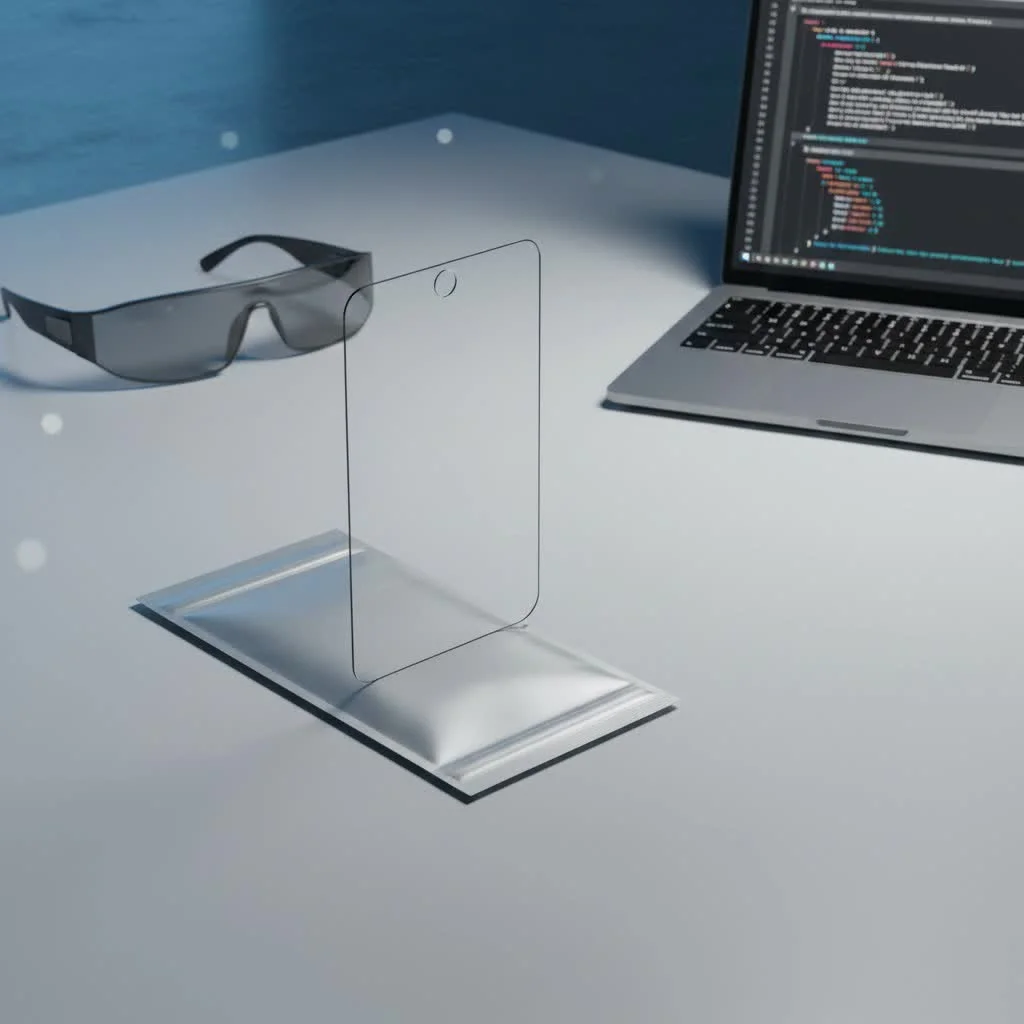
Why Your iPhone 14 Plus Still Needs a Screen Protector
While the iPhone 14 Plus features a Ceramic Shield front cover, designed to be tougher than standard smartphone glass, it is not invincible. Everyday items such as keys, coins, and abrasive dust can cause micro-scratches over time, diminishing screen clarity. Severe drops onto hard surfaces can still crack the Ceramic Shield. A dedicated iPhone 14 Plus screen protector provides a crucial sacrificial layer, absorbing impacts and scratches to protect the actual screen, thereby offering peace of mind and preserving the device’s resale value. For complete screen protectors library on this site.
Understanding the Main Types of iPhone 14 Plus Screen Protectors
The primary categories of screen protectors are tempered glass and film protectors, each with distinct advantages and disadvantages depending on user lifestyle and needs.
Tempered Glass Screen Protectors
Tempered glass protectors are a popular choice, made from chemically treated and heated glass layers for increased strength, often achieving a 9H hardness rating. This makes them highly resistant to scratches and effective at absorbing impacts.
- Pros:
- Superior Impact Protection: Tempered glass excels at absorbing drop impacts, often cracking itself instead of the phone’s display.
- Exceptional Scratch Resistance: With a 9H hardness, they effectively prevent scratches from keys, coins, and daily abrasions.
- Smooth, Native Feel: They replicate the smooth, responsive feel of the iPhone’s original glass, ensuring an uncompromised touch experience.
- Optical Clarity: High-quality tempered glass provides crystal-clear transparency, preserving vibrant colors and sharpness.
- Cons:
- More Brittle: Despite strength, tempered glass can shatter from severe impacts, requiring replacement.
- Slightly Thicker: Generally thicker than film protectors, though modern designs are very slim.
- Higher Cost: Typically more expensive than film alternatives.
Film Protectors (PET/TPU)
Film protectors are traditional, thinner, and more flexible options made from plastic materials like PET (Polyethylene Terephthalate) or TPU (Thermoplastic Polyurethane).
- Pros:
- Affordable: Usually much cheaper, often sold in multi-packs, making them a budget-friendly choice.
- Flexible and Thin: Virtually invisible once applied, adding minimal bulk to your iPhone 14 Plus.
- Good Scratch Resistance: They offer decent protection against minor scratches and scuffs.
- Self-Healing (TPU): Some TPU films feature a “self-healing” property, allowing minor scratches to disappear over time.
- Cons:
- Less Impact Protection: Film protectors provide significantly less defense against drops and heavy impacts compared to tempered glass.
- Can Show Wear: More prone to showing dents, scuffs, and fingerprints.
- Feel: Some users find the tactile feel of plastic less premium or responsive than glass.
- Yellowing (TPU): Cheaper TPU films may yellow with prolonged UV light exposure.
Beyond Basic Protection: Specialized Screen Protector Features
|
Our Picks for the Best Screen Protector in 2026
As an Amazon Associate I earn from qualifying purchases.
|
||
| Num | Product | Action |
|---|---|---|
| 1 | ESR Accessory Glass by Corning™ 3 Pack 9H+ Glass for iPhone 17 Pro Max Screen Protector, with AR Anti-Reflective Technology, Military Grade Shatterproof & Durable with UltraFit Tray |

|
| 2 | ESR 3 Pack for iPhone 16 / iPhone 15 Privacy Screen Protector, Anti-spy Tempered-Glass Privacy Screen Protector with Easy Installation Tool, Micro-Curved Edges, Case Friendly |
|
| 3 | ZAGG Glass+ Screen Protector for iPhone 15-3X Stronger with Reinforced Edges, Scratch & Smudge-Resistant Surface, InvisibleShield, Easy to Install |
|
| 4 | ESR 3 Pack 9H+ Glass for iPhone 16 Pro Max Privacy Screen Protector, [Military Grade Shatterproof & Longest Durable] Armorite Anti-spy Tempered Glass with UltraFit Tray |
|
| 5 | ESR 3 Pack 9H+ Glass for iPhone 16 Pro Max Screen Protector, [Military Grade Shatterproof & Longest Durable] Armorite Ultra-Tough Tempered Glass with UltraFit Tray |
|
| 6 | ESR 3 Pack for iPhone 16 Pro Screen Protector, [9H Hardness] [Military Grade Shatterproof] Tempered Glass Film with Flawless Fit Tray, HD Clear, Scratch Resistant |
|
| 7 | ZAGG Glass+ Screen Protector for iPhone 16e/ 14/13/ 13 Pro - 3X Shatter Protection, High Scratch Resistance, Oil-Resistant, Reinforced Edges, InvisibleShield, Easy Install |
|
| 8 | ESR 3 Pack for iPhone 16 / iPhone 15 Screen Protector, [9H Hardness] [Military Grade Shatterproof] Full Coverage Tempered Glass Film with Easy Installation Tool, HD Clear, Scratch Resistant |
|
| 9 | ZAGG Glass+ Screen Protector for Phone 15 Pro - 3X Stronger with Reinforced Edges, Scratch & Smudge-Resistant Surface, InvisibleShield, Easy to Install |
|
| 10 | ESR 3 Pack for iPhone 17 Pro Max Privacy Screen Protector, Military Grade Shatterproof, 9H Hardness, Anti-spy Tempered Glass with UltraFit Tray |
|
The market for iPhone 14 Plus screen protectors offers advanced functionalities beyond basic defense.
Privacy Screens
These protectors use a specialized filter to narrow the screen’s viewing angle. The display is clear when viewed straight on, but appears dark or obscured from the sides, ideal for protecting sensitive information in public.
Anti-Glare (Matte) Screens
Anti-glare, or matte, screen protectors diffuse light reflections, significantly improving screen visibility outdoors or under bright lights. They also feel smoother and hide fingerprints effectively, though some users note a slight reduction in display sharpness and vibrancy.
Blue Light Filtering Screens
Designed to reduce harmful blue light emissions, these protectors aim to minimize eye strain and potentially improve sleep quality, particularly for late-night phone users. While benefits are debated, many find them helpful; the iPhone also has a built-in “Night Shift” mode for similar effects.
Oleophobic Coating
An essential feature on most quality screen protectors, an oleophobic (oil-repelling) coating prevents fingerprints and smudges, keeping the display clear and easy to clean without constant wiping.
How to Choose the Right iPhone 14 Plus Screen Protector for You
Selecting the ideal iPhone 14 Plus screen protector requires evaluating personal habits and priorities.
- Consider Your Lifestyle: For users prone to dropping their phone or working in dusty environments, tempered glass offers superior impact resistance. A film protector may suffice for basic scratch protection if you are generally careful.
- Prioritize Features: Determine if privacy, glare reduction, or eye strain relief are important. Look for specialized features like privacy filters, anti-glare finishes, or blue light reduction.
- Ease of Installation: Many premium brands offer “EZ Fit” or alignment tray systems for foolproof application, minimizing bubbles and misalignment. These systems are beneficial for those nervous about DIY installation.
- Brand Reputation: Opt for reputable brands known for quality and customer service, such as Spigen, ZAGG, and Belkin, which consistently deliver reliable products.
DIY Installation Guide: Mastering Your iPhone 14 Plus Screen Protector Application
Applying an iPhone 14 Plus screen protector can be achieved flawlessly with patience and proper technique.
- Preparation is Key: Choose a clean, dust-free environment, such as a bathroom after a hot shower. Wash hands thoroughly and power off your iPhone 14 Plus.
- Clean the Screen Meticulously: Use the included alcohol wipe to clean the screen, removing all fingerprints and oils. Follow with the microfiber cloth for a streak-free shine. Use the dust removal sticker to dab away any remaining dust particles, which is crucial for preventing bubbles.
- Align the Protector: If an alignment tray is provided, attach it as instructed to perfectly position the protector. Otherwise, carefully hold the protector by its edges and align it with the iPhone’s top edge, focusing on camera and speaker cutouts.
- Gentle Application: Slowly lower the screen protector onto the display. Modern protectors often self-adhere. Use the included squeegee or a credit card wrapped in microfiber cloth to gently push any air bubbles from the center outwards towards the nearest edge.
- Final Inspection: After full adhesion, remove the alignment tray. Inspect for dust or bubbles; minor bubbles typically dissipate within 24-48 hours. For stubborn bubbles without dust, gently lift the nearest edge with a fingernail, push the bubble out, and re-adhere.
Common Installation Mishaps and Quick Fixes
Even experienced users can encounter issues during installation.
- Dust Under the Protector: The most common cause of stubborn bubbles. Gently lift the nearest corner with a dust removal sticker, blot the dust from both the iPhone screen and the protector’s adhesive side with another sticker, then reapply.
- Persistent Air Bubbles: For bubbles without dust, reapply pressure from the center outwards with your squeegee. Lifting a corner slightly and reapplying can also help. Tiny bubbles often resolve themselves within a day or two.
- Misalignment: If the protector is significantly crooked, it is often best to carefully peel it off entirely and try again with a new protector, as attempting to adjust a largely misaligned one can introduce more problems.
Maximizing Lifespan: Care and Maintenance Tips
A properly installed iPhone 14 Plus screen protector can last a long time with minimal care.
- Regular Cleaning: Wipe your screen protector regularly with a microfiber cloth to keep it clean and free of fingerprints.
- Avoid Sharp Objects: Do not place your phone directly with keys, pens, or other sharp objects in your pocket or bag.
- Pair with a Good Case: For comprehensive 360-degree protection, use a screen protector in conjunction with a protective case that has raised edges.
- Know When to Replace: If your screen protector develops significant scratches, cracks, or begins to peel, it has served its purpose. Replace it promptly to ensure continuous protection for your iPhone 14 Plus.
As an expert with over a decade in screen protection and a content creator for PPICM.com, I’ve seen countless devices saved by a simple, yet effective, screen protector. “The right screen protector is an investment, not an expense,” says Lena Petrova, PPICM’s Lead Material Scientist. “It’s the unsung hero that keeps your iPhone’s display shining bright through all of life’s adventures.”
Frequently Asked Questions (FAQs)
Q: Is the iPhone 14 Plus Ceramic Shield strong enough on its own?A: While the Ceramic Shield is incredibly durable and designed for better drop performance, it is not scratch-proof. Everyday items can still cause micro-scratches, and severe impacts can still lead to cracks. A screen protector adds an invaluable extra layer of defense for your iPhone 14 Plus.
Q: Will a screen protector affect my iPhone 14 Plus’s touch sensitivity?A: High-quality tempered glass screen protectors are designed to be extremely thin and maintain the original touch sensitivity of your iPhone 14 Plus. You should barely notice it’s there. Cheaper, thicker options might subtly reduce sensitivity, but this is rare with reputable brands.
Q: Can I reuse an iPhone 14 Plus screen protector after removing it?A: Generally, no. Once a screen protector has been applied and then removed, its adhesive layer often gets compromised, and it will likely pick up dust and debris, making reinstallation difficult and often resulting in bubbles. It’s always best to use a new one.
Q: How do I remove bubbles from my iPhone 14 Plus screen protector?A: For bubbles without dust, use a squeegee or soft cloth to push them towards the nearest edge. For bubbles with dust, gently lift the closest edge of the protector with a dust removal sticker, use another sticker to blot the dust from both the screen and the protector’s adhesive, then carefully reapply.
Q: Do privacy screen protectors make my screen darker?A: Yes, privacy screen protectors can sometimes make your screen appear slightly darker, even when viewed straight on. You might need to adjust your screen brightness higher than usual, which can impact battery life on your iPhone 14 Plus.
Conclusion
Your iPhone 14 Plus is a marvel of modern technology, and its display deserves the best protection available. Choosing the right iPhone 14 Plus screen protector is a smart decision that can save you from costly repairs and keep your device looking flawless. Whether you opt for the robust defense of tempered glass or the subtle clarity of a film protector, adding this extra layer of security ensures your investment stays safe from the unpredictable bumps and scrapes of daily life. Take the time to choose wisely, apply it carefully, and enjoy the peace of mind knowing your iPhone 14 Plus is truly protected.
Frequently Asked Questions
Is the iPhone 14 Plus Ceramic Shield strong enough on its own?
While the iPhone 14 Plus Ceramic Shield is incredibly durable and designed for better drop performance, it is not scratch-proof. Everyday items can still cause micro-scratches, and severe impacts can still lead to cracks. A screen protector adds an invaluable extra layer of defense for your iPhone 14 Plus.
Will a screen protector affect my iPhone 14 Plus's touch sensitivity?
High-quality tempered glass screen protectors are designed to be extremely thin and maintain the original touch sensitivity of your iPhone 14 Plus. You should barely notice it's there. Cheaper, thicker options might subtly reduce sensitivity, but this is rare with reputable brands.
Can I reuse an iPhone 14 Plus screen protector after removing it?
Generally, no, you cannot reuse an iPhone 14 Plus screen protector after removing it. Once a screen protector has been applied and then removed, its adhesive layer often gets compromised, and it will likely pick up dust and debris, making reinstallation difficult and often resulting in bubbles. It's always best to use a new one.
How do I remove bubbles from my iPhone 14 Plus screen protector?
For bubbles without dust, use a squeegee or soft cloth to push them towards the nearest edge. For bubbles with dust, gently lift the closest edge of the protector with a dust removal sticker, use another sticker to blot the dust from both the screen and the protector's adhesive, then carefully reapply.
Do privacy screen protectors make my iPhone 14 Plus screen darker?
Yes, privacy screen protectors can sometimes make your iPhone 14 Plus screen appear slightly darker, even when viewed straight on. You might need to adjust your screen brightness higher than usual, which can impact battery life on your device.
Install an iPhone 14 Plus Screen Protector
This guide provides step-by-step instructions for flawlessly applying an iPhone 14 Plus screen protector, ensuring a bubble-free finish and maximum protection.
Choose a clean, dust-free environment, such as a bathroom after a hot shower, as steam helps settle dust. Wash your hands thoroughly to remove oils and debris, then power off your iPhone 14 Plus to prevent accidental touches during installation.
Use the included alcohol wipe to thoroughly clean your iPhone's screen, removing all fingerprints, smudges, and oils. Follow up with the microfiber cloth to dry and buff the screen to a streak-free shine. Finally, use the dust removal sticker to dab away any remaining dust particles, which is crucial for preventing bubbles.
If your screen protector comes with an alignment tray, attach it to your iPhone as instructed to perfectly position the protector. If not, carefully hold the protector by its edges, avoiding the adhesive side, and align it with the top edge of your iPhone, paying close attention to the camera and speaker cutouts.
Slowly lower the screen protector onto the display; many modern protectors are designed to self-adhere, with the adhesive gradually spreading. If air bubbles form, use the included squeegee card or a credit card wrapped in a microfiber cloth to gently push them towards the nearest edge, working from the center outwards.
Once the protector is fully adhered, carefully remove the alignment tray if used. Inspect your screen for any remaining dust or bubbles; minor bubbles often dissipate within 24-48 hours. For stubborn bubbles without dust, gently lift the nearest edge of the protector with a fingernail, push the bubble out, and then re-adhere.
Get our weekly buyer guide
Practical specs, not advice. Unsubscribe anytime.

I bought this to protect against everyday wear and tear, especially micro-scratches from dust. While it does seem to do the job, I found the edges a little sharp compared to other protectors I’ve used. It’s not a deal-breaker, but it’s noticeable when I’m holding my phone. Still, it’s better than a scratched screen.
Maintaining my phone’s resale value is a big deal for me, so a good screen protector is a must. This one for the iPhone 14 Plus is fantastic. It’s a sacrificial layer that really works; I dropped my phone on concrete last week and the protector cracked, but my actual screen was perfectly fine. Highly recommend for impact protection.
I’ve always used screen protectors, and this one for my 6.7-inch Super Retina XDR display is pretty solid. It feels durable and I haven’t noticed any issues with touch sensitivity. My only minor gripe is that it took a couple of tries to get it perfectly aligned without any bubbles, but once it’s on, it’s great.
I was skeptical about needing a screen protector with the Ceramic Shield, but after a close call with my keys in my bag, I’m so glad I got one. This tempered glass protector saved my iPhone 14 Plus from a nasty scratch. It was easy to install and doesn’t affect the display clarity at all. Definitely worth the peace of mind.