In our increasingly connected world, protecting our digital lives has become paramount. From glancing at sensitive emails on a crowded train to checking bank balances in a bustling café, our personal information is constantly exposed to curious eyes. This is where the Best Privacy Screen Protector steps in, transforming your device into a personal sanctuary and safeguarding your sensitive data from prying glances. It’s more than just a piece of plastic or glass; it’s your frontline defense against visual hacking, giving you peace of mind wherever you go.
What Exactly is a Privacy Screen Protector?
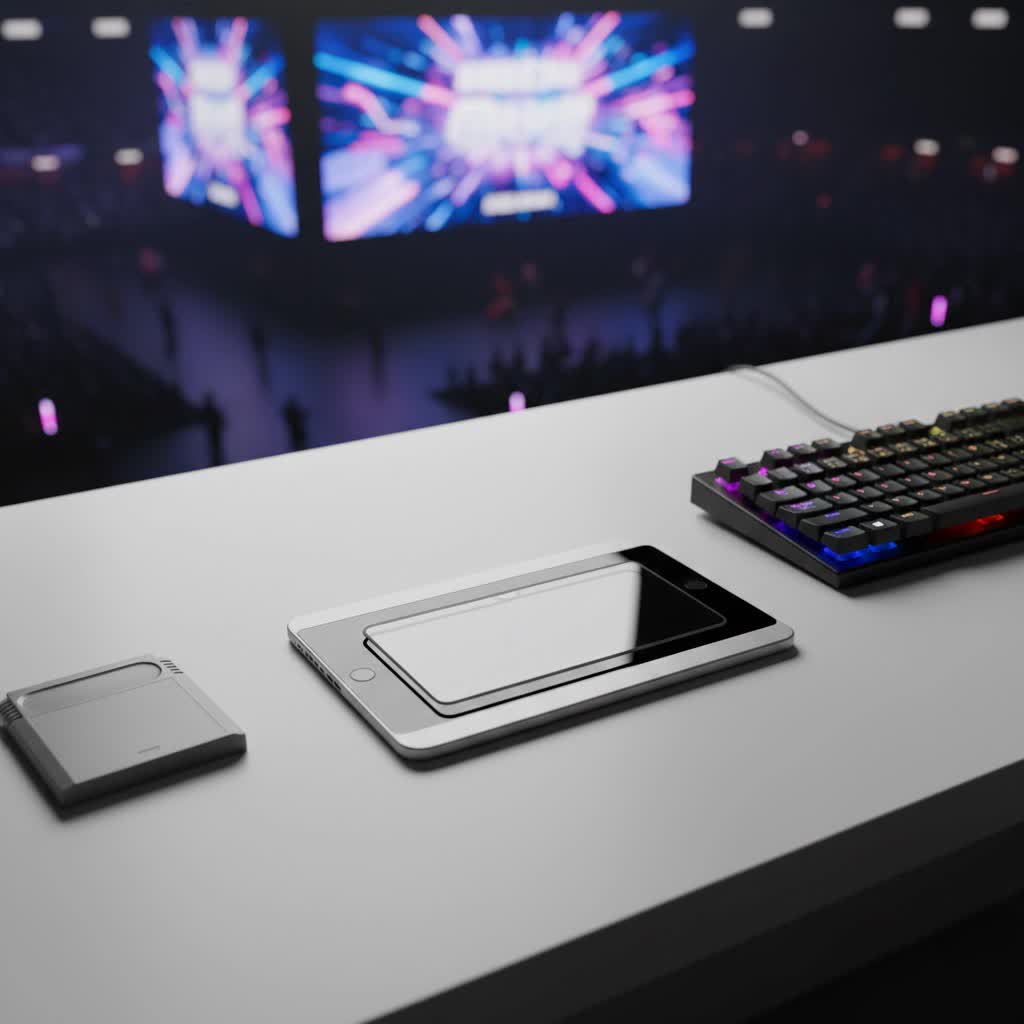
At its core, a privacy screen protector is a specialized overlay for your device’s screen designed to restrict its viewing angle. Think of it like a pair of tiny, microscopic Venetian blinds built directly into the screen itself. These “micro-louvers” are arranged in parallel slats, allowing light to pass through only when viewed head-on. Anyone attempting to peek from the side, typically beyond a 30-degree angle, will see nothing but a darkened, blurred, or completely black screen. This innovative technology ensures that your content remains perfectly visible to you, the direct user, while rendering it invisible to those around you. It’s an indispensable tool for protecting your information from “shoulder surfing,” a common form of visual hacking in public spaces.
Deciphering the Different Types of Privacy Screen Protectors
When searching for the best privacy screen protector, you’ll quickly discover a few primary material types, each with its own set of advantages and considerations:
- Tempered Glass Privacy Protectors: These are often considered the premium choice for dual protection.
- Pros: Made from chemically treated glass, they offer superior durability and impact resistance (often rated 9H hardness), providing excellent defense against scratches, drops, and cracks. They maintain a smooth, glass-like touch sensitivity, feeling natural under your fingertips.
- Cons: Tempered glass tends to be thicker and heavier, which can add a slight bulk to your device. They are generally more expensive than other types and, despite their strength, can still shatter under extreme impact, albeit protecting your original screen.
- Plastic Film Privacy Protectors: These are a more budget-friendly and flexible option.
- Pros: Thinner and more flexible, plastic film protectors are less noticeable on your device and are generally easier to apply. They offer basic scratch protection and come at a lower price point.
- Cons: They provide less impact protection compared to tempered glass, meaning your screen is more vulnerable to cracking from drops. They may also feel less smooth to the touch and can show more minor scratches over time.
- Other Materials: You might encounter TPU (thermoplastic polyurethane) or PET (polyethylene terephthalate) films, which fall under the “plastic film” category. Acrylic privacy filters are also available, particularly for larger displays, offering a lightweight solution. While specific properties vary, the core functionality of restricting viewing angles remains consistent across these materials.
The Unseen Benefits: Why You Need a Privacy Screen Protector
Investing in the best privacy screen protector goes far beyond merely safeguarding your secrets. It offers a multifaceted layer of protection that enhances your digital experience in numerous ways:
- Guarding Against Visual Hacking: This is the primary and most significant benefit. Whether you’re commuting, working in a co-working space, or simply browsing at a coffee shop, a privacy screen protector ensures that only you can see your screen’s content. This dramatically reduces the risk of sensitive information like passwords, financial details, or personal messages falling into the wrong hands.
- Robust Physical Screen Protection: Like traditional screen protectors, privacy versions act as a sacrificial layer, absorbing impacts and resisting scratches that would otherwise mar your device’s original display. High-quality tempered glass options, in particular, offer formidable defense against everyday wear and tear, extending your device’s lifespan.
- Say Goodbye to Glare: Many privacy screen protectors come with an anti-glare coating, which helps to diffuse reflections from bright light sources. This feature is particularly useful when using your device outdoors or under harsh office lighting, improving visibility and reducing eye strain.
- Eye Health: Reducing Blue Light Exposure: Certain privacy screen protectors also incorporate a blue light filter. This helps to block harmful blue light wavelengths emitted from screens, which can contribute to eye fatigue, digital eye strain, and potentially disrupt sleep patterns. By filtering a portion of this blue light, these protectors offer an added layer of comfort for extended screen use.
The Trade-Offs: Understanding the Downsides
While the benefits are clear, it’s important to have a realistic understanding of the potential drawbacks associated with privacy screen protectors. No product is perfect, and these specialized guards come with their own set of compromises:
- A Dimmer View: Impact on Screen Brightness: Due to the micro-louver technology, privacy screen protectors inherently reduce the amount of light that reaches your eyes, even when viewed directly. This often means you’ll need to increase your device’s brightness settings, especially in well-lit environments, which can lead to faster battery drain.
- The Narrow Window: Limited Viewing Angles: While this is the core function for privacy, it can be inconvenient if you want to quickly share content with a friend or colleague. They’ll also experience the darkened screen effect, forcing them to huddle directly in front of your device. Some protectors offer 2-way privacy (horizontal) or 4-way privacy (horizontal and vertical) which further limits sharing.
- Clarity Concerns: Graininess and Screen Door Effect: Some lower-quality privacy screen protectors can introduce a subtle graininess or a “screen door” effect, where the micro-louvers become faintly visible, slightly affecting the crispness and clarity of your display. While higher-end models minimize this, it’s a factor to consider.
- Compatibility Hurdles: Fingerprint Sensors and Face ID: Modern devices often feature in-display fingerprint sensors or advanced facial recognition (Face ID). A privacy screen protector, particularly a thicker tempered glass one without precise cutouts or specific design, can interfere with these sensors, leading to reduced sensitivity or recognition failures.
- Battery Drain and Cost Considerations: As mentioned, increased brightness settings can accelerate battery consumption. Furthermore, due to the specialized technology, privacy screen protectors generally cost more than standard clear screen protectors.
How to Choose the Best Privacy Screen Protector for Your Device
Selecting the best privacy screen protector requires a thoughtful approach. Here’s a comprehensive guide to help you make an informed decision:
- Device Compatibility & Fit: This is non-negotiable. Ensure the protector is specifically designed for your exact device model (e.g., iPhone 15 Pro Max, Samsung Galaxy S24 Ultra). Incorrect sizing can lead to peeling, sensor obstruction, or inadequate coverage. If your device has Face ID or an in-display fingerprint sensor, look for protectors explicitly stating compatibility and featuring precise cutouts to avoid interference. As Dr. Anya Sharma, a renowned expert in mobile accessory technology, often advises, “A perfect fit isn’t just about aesthetics; it’s crucial for maintaining full device functionality and sensor accuracy.”
- Privacy Angle: Most privacy protectors offer a 30-degree viewing angle, meaning the screen darkens significantly when viewed from beyond 30 degrees to either side. Some might offer a wider angle, which provides less privacy but better visibility for occasional sharing, or a narrower angle for maximum privacy.
- Material Matters:
- For maximum durability and a glass-like feel, opt for tempered glass privacy protectors. Look for a 9H hardness rating for excellent scratch and impact resistance.
- If flexibility, thinness, and budget are your priorities, a high-quality plastic film (TPU or PET) might be suitable, though it offers less robust physical protection.
- Finish: Matte vs. Glossy:
- A matte finish excels at reducing glare and fingerprints, making it ideal for outdoor use or brightly lit environments. However, it can slightly reduce screen clarity and sharpness.
- A glossy finish offers better clarity and color vibrancy, preserving your display’s original look, but it is more prone to reflections and fingerprint smudges.
- Added Features: Consider features like anti-fingerprint (oleophobic coating), blue light filtering for eye comfort, or even antimicrobial properties for hygiene.
- Installation Kits and Brand Reputation: Look for protectors that come with comprehensive installation kits, including cleaning wipes, dust absorbers, and alignment frames. These tools significantly simplify the application process and help prevent bubbles. Reputable brands often indicate higher quality and better performance. Reading user reviews can also provide valuable insights into real-world performance and ease of installation.
Mastering the Application: A Step-by-Step Installation Guide
Even the best privacy screen protector won’t perform optimally without proper installation. A flawless application ensures maximum privacy, protection, and display clarity.
- Preparation is Key: Find a dust-free environment, like a bathroom after a hot shower (the steam helps settle dust). Thoroughly clean your device’s screen using the provided wet wipe (often alcohol-based) to remove all dirt, oil, and smudges. Follow up with the dry microfiber cloth to ensure no lint or streaks remain. Use a dust-absorber sticker to pick up any lingering particles.
- Precise Alignment: This is the most crucial step. Many kits include an alignment frame that snaps onto your device, guiding the protector into the perfect position. If not, carefully align the protector with the edges, speakers, and camera cutouts of your screen. Take your time to ensure it’s straight before letting it adhere.
- Banishing Bubbles: Once aligned, gently lower the protector onto the screen. It will often adhere itself. Use a squeegee tool or a credit card wrapped in the microfiber cloth to slowly push out any air bubbles from the center towards the edges. Small bubbles usually disappear within 24-48 hours. If a bubble persists due to a dust particle, gently lift the nearest corner of the protector with a piece of tape, use another tape to lift the dust, and then reapply.
Common Privacy Screen Protector Issues and How to Fix Them
Even with careful installation, you might encounter a few hiccups. Here’s how to troubleshoot common privacy screen protector issues:
- Persistent Bubbles: If you have larger bubbles that won’t go away, it’s often due to trapped dust. Gently lift the corner closest to the bubble with a piece of tape, use another piece of tape to dab and remove the dust from both the screen and the protector, then carefully reapply.
- Edges Lifting: Sometimes, the edges of the protector might not fully adhere or start to peel. This can be caused by an uneven surface, case interference, or trapped dust. If it’s minor, you might try gently pressing the edge down repeatedly. For more stubborn lifts, a tiny amount of clear adhesive (applied very sparingly with a toothpick) can help, but proceed with extreme caution to avoid damaging your device.
- Compromised Clarity or Sensitivity: If your screen seems overly dim, grainy, or less responsive to touch, it might be an inherent characteristic of the protector’s quality. First, try increasing your screen’s brightness. If clarity remains an issue or touch sensitivity is significantly impacted, and you’ve purchased a reputable product, ensure all installation steps were followed. Otherwise, it might be time to consider a higher-quality replacement.
- Face ID/Fingerprint Sensor Malfunctions: If Face ID or your in-display fingerprint sensor is unreliable after installation, double-check that the protector isn’t covering any sensors, especially the camera notch or sensor area. Some privacy protectors are specifically designed with transparent cutouts for these components. If problems persist, and the protector lacks these specific designs, it might be incompatible, and you may need to replace it with a compatible model.
Keeping It Clear: Maintenance Tips for Longevity
To ensure your best privacy screen protector continues to perform optimally and look great, regular maintenance is key:
- Regular Cleaning Ritual: Just like your device’s screen, your privacy protector will accumulate fingerprints, dust, and smudges. Clean it regularly with a soft, lint-free microfiber cloth. For deeper cleaning, lightly dampen the cloth with distilled water or a mild, alcohol-free screen cleaner specifically designed for electronics.
- Avoid Harsh Chemicals: Never use abrasive cleaners, window cleaner, or harsh chemicals containing ammonia or alcohol directly on your screen protector, as these can damage the privacy filter layer or the oleophobic coating.
- Proper Storage: If you’re using a removable privacy filter, store it in its original protective sleeve or a clean, flat container when not in use. This prevents scratches and dust accumulation.
- When to Replace: Even the most durable privacy screen protector has a lifespan. If you notice significant scratches, cracks, persistent bubbles, a noticeable decline in clarity, or reduced touch responsiveness that cannot be resolved, it’s time to replace it. A damaged protector offers compromised protection and privacy.
Frequently Asked Questions (FAQ)
Q1: Do privacy screen protectors really work?
|
Our Picks for the Best Screen Protector in 2026
As an Amazon Associate I earn from qualifying purchases.
|
||
| Num | Product | Action |
|---|---|---|
| 1 | ESR 3 Pack 9H+ Glass for iPhone 16 Pro Max Screen Protector, [Military Grade Shatterproof & Longest Durable] Armorite Ultra-Tough Tempered Glass with UltraFit Tray |
![Check ESR 3 Pack 9H+ Glass for iPhone 16 Pro Max Screen Protector, [Military Grade Shatterproof & Longest Durable] Armorite Ultra-Tough Tempered Glass with UltraFit Tray on Amazon](https://ppicm.com/wp-content/plugins/amazon-tables/assets/images/buy.png)
|
| 2 | ESR 3 Pack for iPhone 16 / iPhone 15 Privacy Screen Protector, Anti-spy Tempered-Glass Privacy Screen Protector with Easy Installation Tool, Micro-Curved Edges, Case Friendly |
|
| 3 | ESR 3 Pack for iPhone 16 Pro Screen Protector, [9H Hardness] [Military Grade Shatterproof] Tempered Glass Film with Flawless Fit Tray, HD Clear, Scratch Resistant |
|
| 4 | ZAGG Glass+ Screen Protector for iPhone 16e/ 14/13/ 13 Pro - 3X Shatter Protection, High Scratch Resistance, Oil-Resistant, Reinforced Edges, InvisibleShield, Easy Install |
|
| 5 | ZAGG Glass+ Screen Protector for iPhone 15-3X Stronger with Reinforced Edges, Scratch & Smudge-Resistant Surface, InvisibleShield, Easy to Install |
|
| 6 | ESR 3 Pack for iPhone 17 Pro Max Privacy Screen Protector, Military Grade Shatterproof, 9H Hardness, Anti-spy Tempered Glass with UltraFit Tray |
|
| 7 | ESR Accessory Glass by Corning™ 3 Pack 9H+ Glass for iPhone 17 Pro Max Screen Protector, with AR Anti-Reflective Technology, Military Grade Shatterproof & Durable with UltraFit Tray |
|
| 8 | ESR 3 Pack 9H+ Glass for iPhone 16 Pro Max Privacy Screen Protector, [Military Grade Shatterproof & Longest Durable] Armorite Anti-spy Tempered Glass with UltraFit Tray |
|
| 9 | ESR 3 Pack for iPhone 16 / iPhone 15 Screen Protector, [9H Hardness] [Military Grade Shatterproof] Full Coverage Tempered Glass Film with Easy Installation Tool, HD Clear, Scratch Resistant |
|
| 10 | ZAGG Glass+ Screen Protector for Phone 15 Pro - 3X Stronger with Reinforced Edges, Scratch & Smudge-Resistant Surface, InvisibleShield, Easy to Install |
|
Yes, absolutely! Privacy screen protectors utilize micro-louver technology, similar to tiny Venetian blinds, to block visibility from side angles. This means that while you, the direct user, can see your screen clearly, anyone trying to peek from the side will only see a darkened or black screen, effectively preventing visual hacking.
Q2: Will a privacy screen protector affect my touch sensitivity or Face ID?
High-quality privacy screen protectors are designed to minimize interference with touch sensitivity. However, some thicker or lower-quality protectors might slightly reduce responsiveness. For Face ID or in-display fingerprint sensors, it’s crucial to choose a protector specifically designed for your device, often featuring precise cutouts to ensure these sensors remain fully functional.
Q3: Are privacy screen protectors good for eye health?
Many privacy screen protectors incorporate blue light filtering technology, which helps reduce exposure to potentially harmful blue light emitted from screens. This can contribute to reduced eye strain and fatigue, especially during prolonged use. However, the inherent dimming effect might require you to increase screen brightness, which could also lead to some eye strain if not managed.
Q4: Can I install a privacy screen protector myself?
Yes, most privacy screen protectors are designed for DIY installation. They often come with comprehensive kits including cleaning wipes, dust removers, and alignment frames to guide you through the process. Taking your time, ensuring a dust-free environment, and following the instructions carefully will lead to a successful, bubble-free application.
Q5: How often should I replace my privacy screen protector?
The lifespan of a privacy screen protector depends on its material, quality, and your usage. Generally, it should be replaced if it becomes heavily scratched, cracked, develops persistent bubbles, or if you notice a significant decline in its clarity or privacy effectiveness. Regularly inspecting it for wear and tear will help you determine when a replacement is needed.
Choosing the best privacy screen protector is a proactive step toward digital security and personal peace of mind. By understanding the types, benefits, and potential drawbacks, you can select the perfect guard for your device, ensuring your sensitive information remains private while maintaining essential screen protection. Don’t compromise on your digital privacy—equip your device with the ultimate defense and confidently navigate your digital world. Share your experiences with privacy screen protectors on ppicm.com and help others make informed choices!
