Your iPad 10th Generation is more than just a tablet; it’s a powerful tool for work, creativity, and entertainment, a significant investment that deserves nothing less than superior protection. Here at PPICM, where we’ve spent over a decade dissecting every facet of screen protection, we understand the intrinsic value of safeguarding your device’s most vulnerable component: its stunning 10.9-inch Liquid Retina display. From accidental drops to daily wear and tear, an unprotected screen faces a gauntlet of threats. This comprehensive guide, crafted by experts, will demystify the world of screen protectors for your iPad 10th Generation, helping you make an informed choice and ensure your device remains pristine.
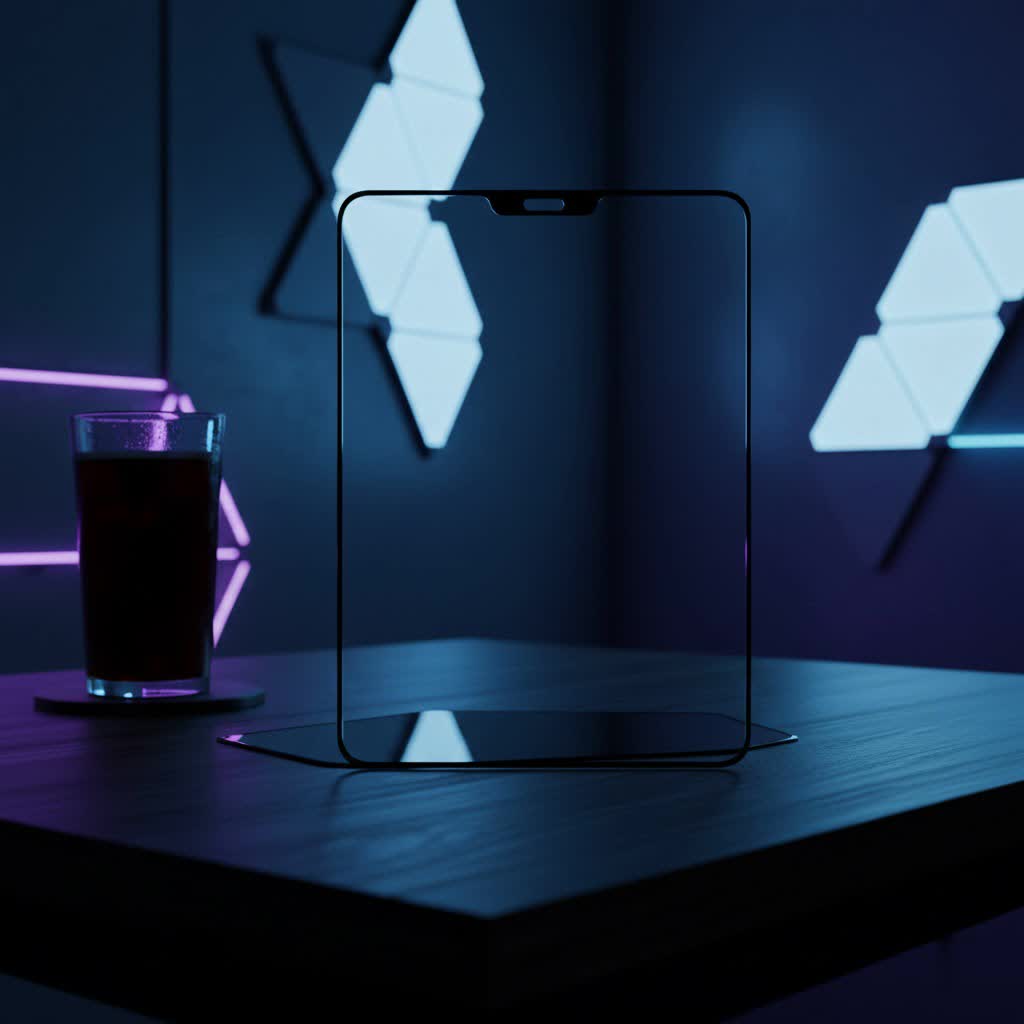
Why Your iPad 10th Gen Needs a Screen Protector
Think of your iPad’s screen as its window to the world. It’s where you interact, create, and consume content. Every tap, swipe, and stylus stroke puts it at risk. While the iPad 10th Gen boasts robust construction, its glass screen is still susceptible to scratches from keys in a bag, impact damage from an unexpected fall, and unsightly smudges that accumulate throughout the day. Beyond the immediate damage, a pristine screen significantly contributes to your iPad’s resale value. A high-quality screen protector acts as an invisible shield, absorbing impacts and resisting abrasions, offering you invaluable peace of mind.
Understanding the Different Types of iPad 10th Gen Screen Protectors
The market is flooded with options, and understanding the core differences between screen protector materials is crucial for making the right choice for your iPad 10th Generation.
Tempered Glass: The Unsung Hero of Protection
Tempered glass screen protectors are the gold standard for robust protection. These multi-layered shields are made from heat-treated glass, engineered to absorb significant impact forces and distribute stress, often sacrificing themselves to save your iPad’s display.
- Pros: Offers superior resistance against drops, shattering, and deep scratches. They provide crystal-clear optical clarity, maintaining the vibrancy and sharpness of your iPad’s display. The smooth, glass-like touch replicates the original screen feel.
- Cons: Generally thicker than other types, which can sometimes interfere with tight-fitting cases. While they protect against shattering, the protector itself can chip or crack upon severe impact. Some users find the ultra-smooth surface too slick for precise Apple Pencil control.
|
Our Picks for the Best Screen Protector in 2026
As an Amazon Associate I earn from qualifying purchases.
|
||
| Num | Product | Action |
|---|---|---|
| 1 | ESR 3 Pack 9H+ Glass for iPhone 16 Pro Max Privacy Screen Protector, [Military Grade Shatterproof & Longest Durable] Armorite Anti-spy Tempered Glass with UltraFit Tray |
![Check ESR 3 Pack 9H+ Glass for iPhone 16 Pro Max Privacy Screen Protector, [Military Grade Shatterproof & Longest Durable] Armorite Anti-spy Tempered Glass with UltraFit Tray on Amazon](https://ppicm.com/wp-content/plugins/amazon-tables/assets/images/buy.png)
|
| 2 | ZAGG Glass+ Screen Protector for iPhone 16e/ 14/13/ 13 Pro - 3X Shatter Protection, High Scratch Resistance, Oil-Resistant, Reinforced Edges, InvisibleShield, Easy Install |
|
| 3 | ZAGG Glass+ Screen Protector for Phone 15 Pro - 3X Stronger with Reinforced Edges, Scratch & Smudge-Resistant Surface, InvisibleShield, Easy to Install |
|
| 4 | ESR Accessory Glass by Corning™ 3 Pack 9H+ Glass for iPhone 17 Pro Max Screen Protector, with AR Anti-Reflective Technology, Military Grade Shatterproof & Durable with UltraFit Tray |
|
| 5 | ZAGG Glass+ Screen Protector for iPhone 15-3X Stronger with Reinforced Edges, Scratch & Smudge-Resistant Surface, InvisibleShield, Easy to Install |
|
| 6 | ESR 3 Pack 9H+ Glass for iPhone 16 Pro Max Screen Protector, [Military Grade Shatterproof & Longest Durable] Armorite Ultra-Tough Tempered Glass with UltraFit Tray |
|
| 7 | ESR 3 Pack for iPhone 17 Pro Max Privacy Screen Protector, Military Grade Shatterproof, 9H Hardness, Anti-spy Tempered Glass with UltraFit Tray |
|
| 8 | ESR 3 Pack for iPhone 16 / iPhone 15 Privacy Screen Protector, Anti-spy Tempered-Glass Privacy Screen Protector with Easy Installation Tool, Micro-Curved Edges, Case Friendly |
|
| 9 | ESR 3 Pack for iPhone 16 Pro Screen Protector, [9H Hardness] [Military Grade Shatterproof] Tempered Glass Film with Flawless Fit Tray, HD Clear, Scratch Resistant |
|
| 10 | ESR 3 Pack for iPhone 16 / iPhone 15 Screen Protector, [9H Hardness] [Military Grade Shatterproof] Full Coverage Tempered Glass Film with Easy Installation Tool, HD Clear, Scratch Resistant |
|
PET Film: The Lightweight Contender
PET (Polyethylene terephthalate) film protectors are the most basic and often the most affordable option. They are essentially thin sheets of plastic designed to adhere to your screen.
- Pros: Extremely thin and lightweight, making them almost imperceptible once applied. They offer basic protection against minor scratches and scuffs, and their low cost makes them an accessible choice.
- Cons: Provides minimal impact protection compared to tempered glass. They are more prone to scratching themselves and can feel less premium to the touch. Cleaning can sometimes be more challenging, and they may degrade in clarity over time.
Paper-like/Matte Film: For the Creatives and Note-Takers
For artists, designers, and students who frequently use the Apple Pencil with their iPad 10th Generation, paper-like or matte film protectors are a game-changer. These protectors feature a textured surface designed to replicate the tactile sensation of writing or drawing on paper.
- Pros: Significantly enhances the Apple Pencil experience by adding friction, providing greater control and precision. The matte finish also effectively reduces glare from overhead lights or bright environments, making extended use more comfortable. They are excellent at resisting fingerprints and smudges.
- Cons: The textured surface can slightly reduce screen clarity and color vibrancy, giving a subtle “grainy” effect. The increased friction can lead to faster wear of Apple Pencil tips, requiring more frequent replacements. Installation can also be notoriously tricky due to their flexible nature.
Magnetic Screen Protectors: The Flexible Choice
A newer innovation, magnetic screen protectors, typically come in paper-like or privacy film variants. Their defining characteristic is the ability to attach and detach from your iPad 10th Gen’s screen magnetically.
- Pros: Unparalleled flexibility! You can easily put it on when you need the paper-like feel for drawing or note-taking, and then just as easily remove it to enjoy your iPad’s pristine, unobstructed screen for media consumption.
- Cons: Because they lack adhesive, the magnetic hold might be less secure than traditional protectors. This can sometimes lead to slight movement or allow dust and debris to accumulate underneath the edges over time. They don’t offer the same level of impact protection as tempered glass.
How to Choose the Right Screen Protector for Your iPad 10th Generation
Selecting the ideal screen protector involves a careful assessment of your daily usage and priorities. As screen protector enthusiasts at PPICM, we’ve broken down the key considerations to guide your decision.
Consider Your Usage Habits
Your lifestyle dictates the best protective solution.
- Heavy User or Frequent Traveler: If your iPad 10th Gen accompanies you everywhere, facing potential bumps and drops, a tempered glass protector is your safest bet for maximum impact protection.
- Artist, Student, or Avid Note-Taker (Apple Pencil User): For those who rely on their Apple Pencil for precision work, a paper-like/matte film will transform your iPad into a superior digital canvas. Alternatively, a magnetic paper-like protector offers the flexibility to switch between writing and crystal-clear viewing.
- Casual User or Primarily for Media Consumption: If your iPad is mainly used at home for browsing and watching videos, a PET film offers basic scratch protection, or a high-quality, clear tempered glass will preserve visual fidelity while adding durability.
Compatibility is Key
This might seem obvious, but it’s paramount. Always ensure the screen protector is specifically designed for the iPad 10th Generation (10.9-inch). A generic “iPad screen protector” might not fit perfectly, leading to exposed edges or misaligned cutouts for the camera and sensors. Furthermore, if you use a case, especially a tight-fitting one, check if the screen protector’s thickness (particularly tempered glass) will cause the case edges to lift the protector.
Clarity vs. Texture
This is a fundamental trade-off.
- If crystal clarity and preserving the iPad’s original display quality for movies and photos are your top priorities, opt for a high-quality tempered glass or a clear, thin PET film.
- If you prioritize a tactile writing experience and glare reduction, then a matte or paper-like film is the way to go, understanding it may slightly alter visual clarity.
Installation Experience
While we’ll provide a masterclass in application, some screen protectors are inherently easier to install. Look for products that come with alignment tools or installation frames. These accessories significantly reduce the chances of misalignment and trapped bubbles, making the DIY process far less daunting.
The PPICM Masterclass: Applying Your iPad 10th Gen Screen Protector Flawlessly
Even the best screen protector is only as good as its installation. Trapped dust and annoying bubbles can undermine its appearance and functionality. Follow these expert steps for a perfect, bubble-free application on your iPad 10th Generation.
Step 1: Prepare Your Workspace
The enemy of a perfect installation is dust.
- Choose a Clean Environment: Ideally, work in a dust-free area, like a bathroom after a hot shower (the steam helps settle dust particles).
- Clean Hands and Surface: Wash your hands thoroughly and ensure your workspace is flat, clean, and well-lit.
- Power Off: Turn off your iPad 10th Gen completely to avoid accidental touches and easily spot dust.
Step 2: Immaculate Screen Cleaning
This is the most critical step. Any speck of dust will become a noticeable bubble.
- Initial Wipe: Use the included alcohol wipe (or a screen-cleaning wipe) to remove all oils, fingerprints, and smudges from the iPad screen.
- Streak-Free Shine: Immediately follow with the microfiber cloth, wiping in broad, circular motions to achieve a perfectly dry, streak-free surface.
- The Dust Removal Sticker: This is your secret weapon. Gently tap and lift every tiny dust particle from the screen. Work methodically, inspecting under bright light from different angles. Don’t rush this!
Step 3: Precise Alignment
Proper alignment ensures full coverage and functionality.
- Preparation: If your screen protector comes with an alignment frame, attach it securely to your iPad according to the manufacturer’s instructions.
- Peel and Position: Carefully peel back only a small section (e.g., about an inch) of the protective film from the adhesive side of the screen protector.
- Align: Using the alignment frame or by eye, precisely align the exposed adhesive edge with your iPad’s screen edges, camera, and sensors. Take your time to get it right.
Step 4: Smooth Application
Once aligned, the magic happens.
- Slow Lowering: Slowly and steadily lower the screen protector onto the iPad’s screen. Many modern protectors are designed to “self-adhere,” spreading across the screen as if by magic.
- Squeegee Out Bubbles: If bubbles appear, use the provided squeegee (or a credit card wrapped in a microfiber cloth to prevent scratches) to gently push them from the center towards the nearest edge. Apply even pressure.
Step 5: The Final Touches
Almost there!
- Remove Top Film: Once the protector is fully adhered and major bubbles are gone, carefully peel off any remaining top protective film from the screen protector itself.
- Gentle Wipe: Give your newly protected screen a final gentle wipe with the microfiber cloth to remove any smudges from the installation process.
Troubleshooting Common Screen Protector Installation Issues
Even with the best preparation, hiccups can occur. Here’s how to tackle the most common installation problems.
Battling Bubbles
- Small Bubbles: Often, tiny air bubbles will naturally dissipate within 24-48 hours as the adhesive fully settles. Patience is key.
- Large Bubbles (No Dust): If you have a larger bubble without a visible dust particle, use your squeegee to firmly push it towards the nearest edge of the screen protector until it disappears.
- Dust-Induced Bubbles: This is the trickiest. Gently lift the corner or edge of the screen protector nearest to the bubble using a dust removal sticker or a piece of sticky tape. Once lifted, use another dust sticker to carefully “dab” and lift the dust particle from both the iPad screen and the protector’s adhesive side. Then, slowly reapply the lifted section.
Dust Underneath
As mentioned above, dust is the primary culprit for stubborn bubbles. The key is prevention through thorough cleaning and using dust removal stickers. If you spot dust after application, use the lifting and dabbing technique described above.
Misalignment Woes
If your screen protector is significantly misaligned, it’s best to gently and slowly peel it off entirely. Inspect both the screen and the protector for any contaminants that might have been introduced during the attempt, clean thoroughly, and then re-attempt the installation, paying extra attention to the alignment step. An alignment frame is truly invaluable here.
Case Incompatibility
Some screen protectors, particularly thicker tempered glass models, might not play well with certain tight-fitting cases. If your case is causing the screen protector to lift at the edges, you might need to try a different case or a thinner screen protector. Always check product descriptions for case-friendly designs.
Maintaining Your iPad 10th Gen Screen Protector
Once perfectly installed, proper maintenance will extend the life of your screen protector.
- Regular Cleaning: Use a soft, lint-free microfiber cloth to gently wipe your screen protector, removing fingerprints and smudges. For tougher grime, a screen-specific cleaning solution (alcohol-free) can be used sparingly.
- Avoid Harsh Chemicals: Do not use abrasive cleaners, paper towels, or strong chemical solvents, as these can damage the protector’s oleophobic coating or material.
- Replace When Damaged: If your screen protector develops significant scratches, cracks, or chips, it’s done its job and should be replaced. A damaged protector offers reduced protection and can compromise your viewing experience.
Expert Insight from PPICM
At PPICM, we believe that informed users are empowered users. “The lifespan of your Ipad 10th Generation Screen Protector isn’t just about its initial quality, but also about how diligently you maintain it,” advises Dr. Eleanor Vance, our Head of Product Innovation. “Regular, gentle cleaning and timely replacement when damaged ensures continuous, optimal protection, truly safeguarding your digital window to the world.”
Frequently Asked Questions (FAQ)
Q: Does a screen protector affect Apple Pencil performance on iPad 10th Gen?
A: It depends on the type. High-quality tempered glass typically has minimal impact, but some users find the super-smooth surface a bit too slippery for precise control. Paper-like or matte protectors are designed specifically to enhance the Apple Pencil experience by providing friction, mimicking paper, though they can cause faster tip wear.
Q: Can I install an iPad 10th Gen screen protector by myself?
A: Absolutely! With careful preparation, a clean, dust-free environment, and patience, you can successfully install a screen protector on your iPad 10th Gen. Many brands include helpful installation kits with alignment tools, making the process even easier.
Q: How do I remove bubbles from my iPad 10th Gen screen protector?
A: For small air bubbles, gently push them towards the nearest edge with a squeegee or a credit card wrapped in a microfiber cloth. If a bubble is caused by a dust particle, carefully lift the screen protector near the bubble using a dust removal sticker, use another sticker to pick up the dust, and then slowly reapply.
Q: How often should I replace my iPad 10th Gen screen protector?
A: You should replace your screen protector when it shows significant scratches, cracks, or chips. These signs indicate that its protective layer has been compromised, and it can no longer effectively shield your iPad’s display from damage.
Q: Is a cheap screen protector good enough for my iPad 10th Gen?
A: While tempting, cheap, generic screen protectors often compromise on quality. They might offer poor fit, reduced clarity, inconsistent touch sensitivity, and inadequate durability compared to those from reputable brands. Investing a little more in a quality screen protector is highly recommended to ensure reliable protection and a superior user experience.
Your iPad 10th Generation is a valuable asset, and protecting its brilliant display is a smart decision. By understanding the different types of screen protectors available, selecting the one that best suits your needs, and applying it meticulously, you can ensure your device remains safeguarded against the rigors of daily use. We at PPICM are dedicated to empowering you with the knowledge to make confident choices for your mobile devices. Safeguard your investment, and enjoy your iPad 10th Generation with complete peace of mind.
